
AVerMedia
  • Products
    • Webcams
      • 4K UHD
      • 1080 FULL HD
      • Kits
    • Capture/Converter
      • 4K Capture
      • 1080p60 Capture
      • AV / S Video Capture
      • DSLR / Camcorder capture
      • Video Converter
    • Audio
      • Speakerphones
      • Soundbars
      • Microphones
      • Wireless Microphone
      • Accessories
    • Control Center
      • Creator Central
    • Video Bar
      • Mingle Bar
    • สถานีขยายการสตรีมมิ่ง
      • ผลิตภัณฑ์วิดีโอ
      • ผลิตภัณฑ์เสียง
    • ซอฟต์แวร์
      • ซอฟต์แวร์สตรีมมิ่ง
  • Solutions
    • Workspaces
      • Products of the Month
      • Game Streamer
      • Video Content Creator
      • Work From Home
      • Education
      • How To
      • Corporate
  • Support
    • Support
      • Downloads & FAQ
      • Technical Support
      • Warranty & RMA Services
      • Where to Buy
      • การรับรอง
  • Store
  • Store
  • ระบบ AI แบบบูรณาการ
  • เกี่ยวกับ AVerMedia
    • เกี่ยวกับ AVerMedia
      • เกี่ยวกับ AVerMedia
      • ติดต่อเรา
      • 投資人關係
      • ความรับผิดชอบต่อสังคม
      • Recruiting
  • Account
  • Search
  • Language
  • ติดต่อเรา
Mobile nav

Streamer ULTRA 2.1 - GC535

ภาพรวม ข้อมูลจำเพาะ ถามและตอบ ดาวน์โหลด
สถานที่จำหน่าย

GC535

Streamer Ultra 2.1

ยกระดับทุกเฟรมให้โดดเด่นเหนือระดับ

  • 4K60 Capture

    4K60 Capture

    บันทึกและสตรีมวิดีโอความละเอียด 4K60

  • RGB24

    RGB24

    สีสันสมจริงและแม่นยำ

  • Professional Audiovisual

    Professional Audiovisual

    สีสันสมจริงระดับกล้อง DSLR สำหรับการไลฟ์ขายสินค้า

  • Live Commerce

    Live Commerce

    สีสันสมจริงระดับกล้อง DSLR สำหรับการไลฟ์ขายสินค้า

  • Game Streaming

    Game Streaming

    เหมาะสำหรับการสตรีมเกม AAA ยอดนิยม

ปลดปล่อยศักยภาพการสร้างสรรค์ในระดับ 4K

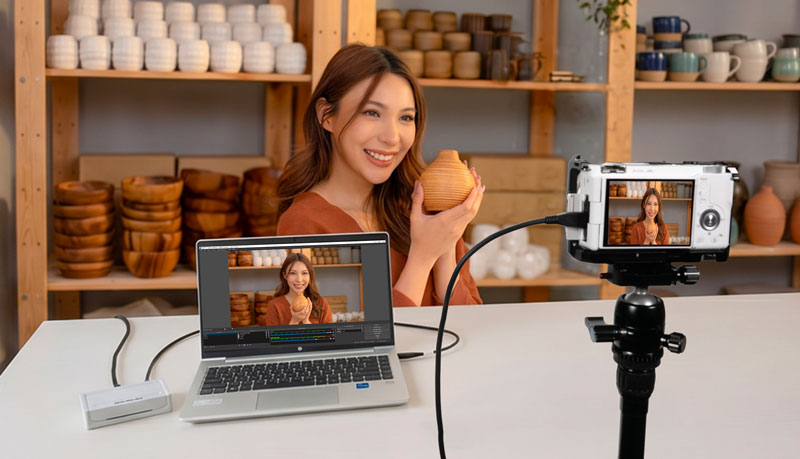
บันทึกทุกรายละเอียดด้วยคุณภาพวิดีโอระดับบรอดแคสต์แบบไม่สูญเสียคุณภาพ (Lossless) STREAMER ULTRA 2.1 GC535 ออกแบบมาสำหรับสตรีมเมอร์ที่ต้องการประสิทธิภาพสูงสุด ไม่ว่าจะเป็นการไลฟ์ขายสินค้าด้วยกล้อง DSLR แบบ Full-Frame การสตรีม 4K ที่สมจริง หรือการผลิตวิดีโอระดับมืออาชีพที่ความละเอียด 1080p360 ด้วยอัตราเฟรมสูง
ปลดล็อกความเป็นไปได้ใหม่ ๆ ในการสร้างสรรค์ และถ่ายทอดทุกไอเดียของคุณด้วยรายละเอียดและความคมชัดที่น่าประทับใจ
ความเสถียรระดับมืออาชีพสำหรับการสตรีม

ความเสถียรระดับมืออาชีพสำหรับการสตรีม

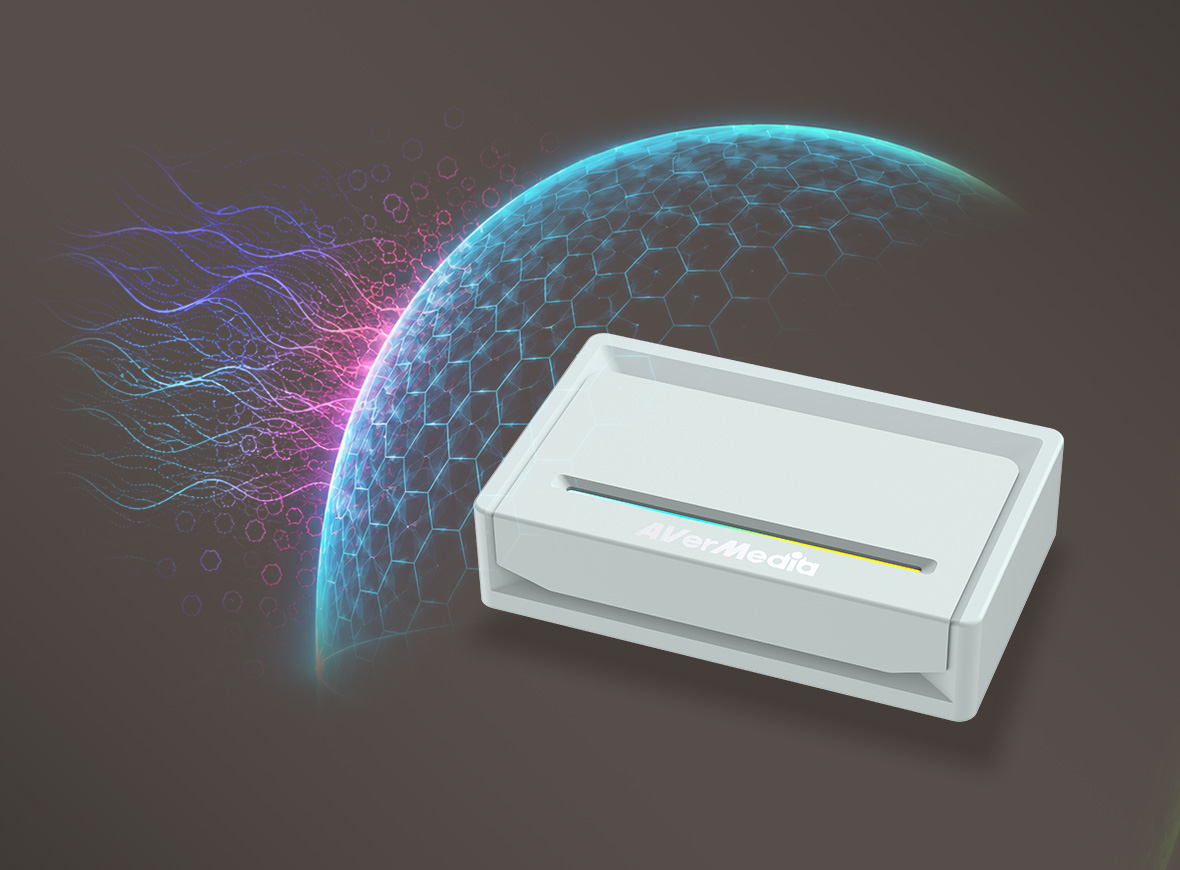
GC535 ได้รับการออกแบบสำหรับงานโปรดักชันระดับมืออาชีพ พร้อมระบบป้องกันไฟฟ้าสถิต (Anti-Static Protection) และการออกแบบที่ผ่านมาตรฐาน EMC เพื่อปกป้องความสมบูรณ์ของสัญญาณและรักษาประสิทธิภาพการทำงานให้มีความเสถียร มอบการสตรีมที่ราบรื่น ไม่มีอาการภาพกระพริบ ตั้งแต่ต้นจนจบ
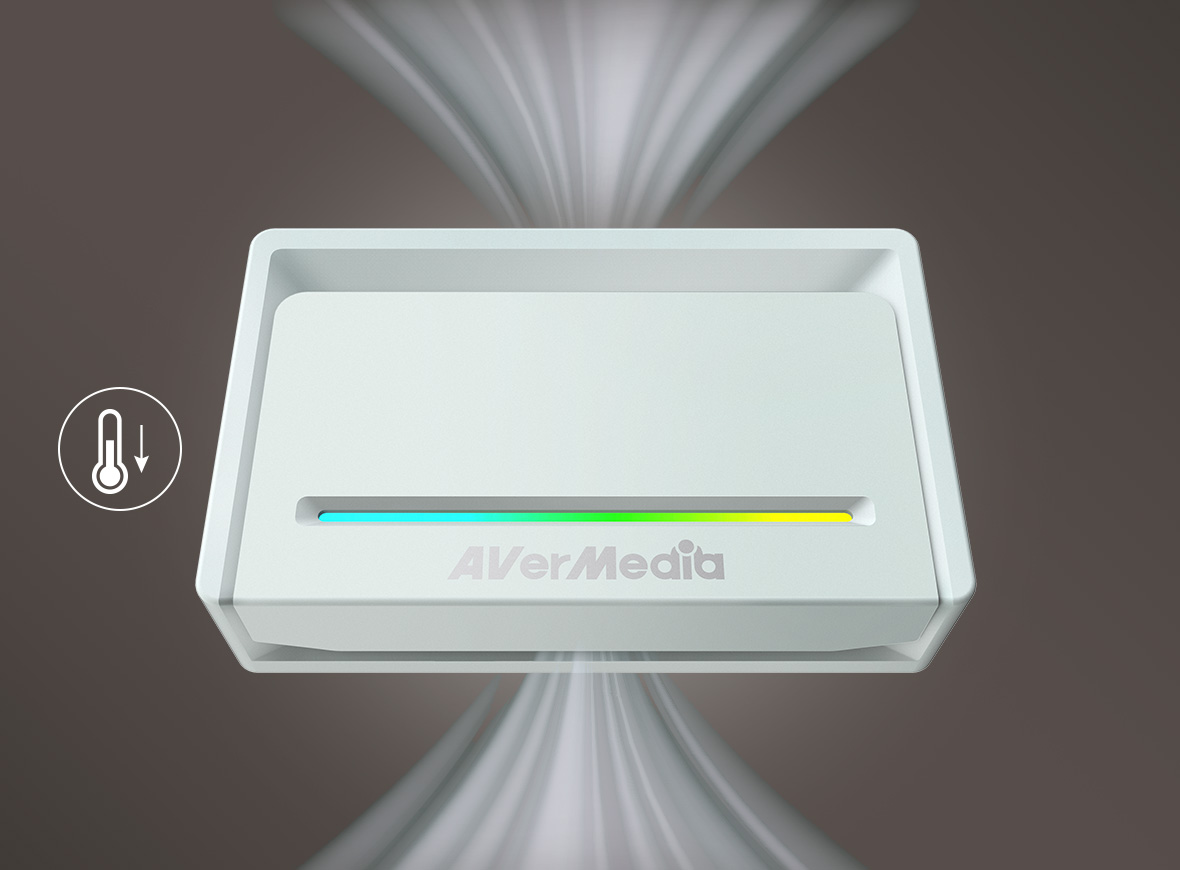
เย็นเสมอ พร้อมสตรีมได้ต่อเนื่อง

เย็นเสมอ พร้อมสตรีมได้ต่อเนื่อง

GC535 ออกแบบมาสำหรับสตรีมเมอร์ที่ต้องการประสิทธิภาพที่สม่ำเสมอ ด้วยระบบจัดการความร้อนประสิทธิภาพสูง และการเชื่อมต่อความเร็ว 10 Gbps ช่วยรักษาอุณหภูมิของอุปกรณ์ พร้อมคงประสิทธิภาพการทำงานที่มีค่าความหน่วงต่ำเป็นพิเศษ (Ultra-Low Latency) แม้ใช้งานสตรีม บันทึก หรือผลิตคอนเทนต์เป็นเวลานาน

สีสันสมจริงในระดับ 4K30

สัมผัสความเที่ยงตรงของสีสันด้วยการบันทึกภาพแบบไม่บีบอัดที่ความละเอียด 4K30 ในรูปแบบ RGB24 ถ่ายทอดทุกรายละเอียดด้วยสีสันที่สดใสและสมจริง เพื่อให้คอนเทนต์ของคุณดูเป็นธรรมชาติและสมจริงเหมือนภาพต้นฉบับ

Streaming Center

Streaming Center
Stream Smarter, Not Harder

AVerMedia Streaming Center คือซอฟต์แวร์แบบครบวงจรที่รวมการบันทึกวิดีโอและการควบคุมกล้องไว้ในโปรแกรมเดียว ช่วยให้ขั้นตอนการทำงานสะดวกยิ่งขึ้น และทำให้การไลฟ์สตรีมเป็นเรื่องง่าย สำหรับข้อมูลเพิ่มเติม คลิกที่นี่

รองรับกล้องหลากหลายรุ่น

GC535 ออกแบบมาสำหรับงานไลฟ์คอมเมิร์ซระดับมืออาชีพและงานผลิตวิดีโอคุณภาพสูง รองรับการใช้งานร่วมกับกล้องจากแบรนด์ชั้นนำหลากหลายรุ่น มอบความยืดหยุ่นในการติดตั้งและความเข้ากันได้อย่างเชื่อถือได้กับระบบกล้องที่ได้รับความนิยมในปัจจุบัน

ตั้งค่าได้อย่างรวดเร็ว

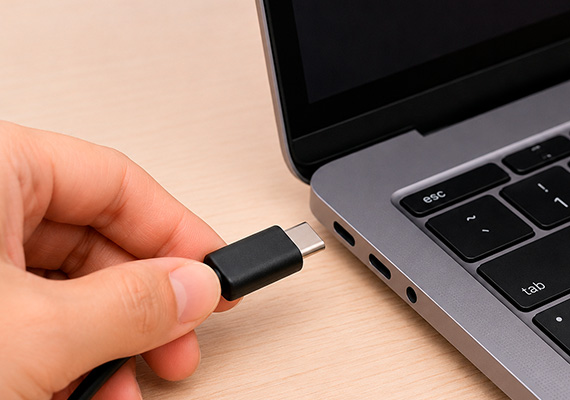
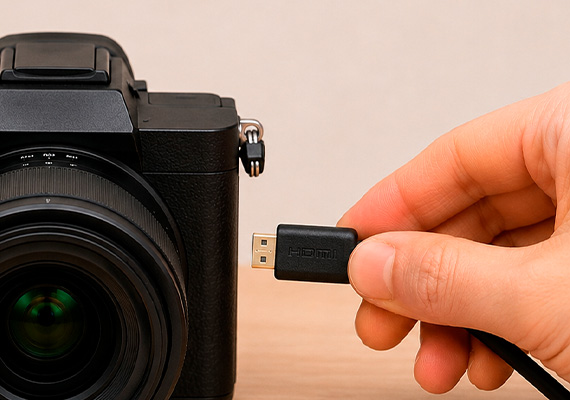
ด้วยเทคโนโลยี UVC ขั้นสูง STREAMER ULTRA ช่วยให้การติดตั้งบนทั้ง Windows และ Mac เป็นเรื่องง่าย เพียงเชื่อมต่อ GC531 กับคอมพิวเตอร์ ก็พร้อมสำหรับการบันทึกและการสตรีมได้ทันที

  • เชื่อมต่อกับคอมพิวเตอร์

  • เชื่อมต่อกับกล้อง

  • เชื่อมต่อกับจอภาพ

  • เพิ่มไปยังแอปที่ต้องการ เช่น Streaming Center

การตั้งค่า HDMI ที่ยืดหยุ่น:

GC535 ถูกตั้งค่าเป็นโหมด HDMI 2.0 เป็นค่าเริ่มต้น เมื่อจำเป็นต้องใช้แบนด์วิดท์ที่สูงขึ้น สามารถสลับไปใช้โหมด HDMI 2.1 ได้อย่างง่ายดายผ่าน Assist Central Pro

ข้อมูลจำเพาะ Streamer ULTRA 2.1 - GC535
  • อินเทอร์เฟซ: USB 3.2 Gen 2 Type-C (10 Gbps)
  • อินพุตและเอาต์พุต (Pass-through): HDMI 2.1*; HDMI 2.0 (ค่าเริ่มต้น)
  • อินพุตและเอาต์พุตเสียง (Pass-through): HDMI 2.1, ช่องเสียบ 3.5 มม. (4 ขั้ว)
  • ความละเอียดสูงสุดในการส่งผ่านสัญญาณ:
    - HDMI 2.1: 2160p144, 1440p240, 1080p360 พร้อมรองรับ VRR และ HDR
    - HDMI 2.0: 2160p60, 1440p144, 1080p240 พร้อมรองรับ HDR
  • ความละเอียดสูงสุดในการบันทึก: 2160p60
  • ความละเอียดที่รองรับ: 2160p, 1440p, 1080p, 1080i, 720p, 576p, 576i, 480p, 480i (ดูข้อมูลเพิ่มเติม)
  • รูปแบบวิดีโอ: RGB24, YUY2, NV12, P010
  • ขนาด (กว้าง × ลึก × สูง): 113 × 70 × 28 มม. (4.44 × 2.76 × 1.10 นิ้ว)
  • น้ำหนัก: 190 กรัม (6.70 ออนซ์)
 

*สามารถตั้งค่า HDMI 2.1 ภายในโปรแกรม Assist Central Pro เพื่อรองรับอัตรารีเฟรชเรตที่สูงขึ้นและ VRR.

ความต้องการของระบบ Windows® 10 x64 / 11 x64 หรือใหม่กว่า
  • เดสก์ท็อป:
    - Intel® Core™ i5-6XXX / AMD Ryzen™ 3 XXX หรือสูงกว่า
    - NVIDIA® GTX 1060 / AMD RX 5700 หรือสูงกว่า
  • โน้ตบุ๊ก:
    - Intel® Core™ i7-7700HQ + NVIDIA® GeForce® GTX 1050 Ti หรือสูงกว่า
    - แนะนำหน่วยความจำ RAM ขนาด 8 GB (Dual-channel)

macOS 13 / 14 หรือใหม่กว่า

- โปรเซสเซอร์ Intel Core i7 แบบ Quad-Core ความเร็ว 3.6 GHz
- Radeon Pro 555 พร้อมหน่วยความจำ VRAM ขนาด 2 GB
- หน่วยความจำ DDR4 2400 MHz ขนาด 16 GB


*ความละเอียดสูงสุดในการบันทึกบน macOS คือ 4K30


หมายเหตุ:
1. ตรวจสอบให้แน่ใจว่าพอร์ต Type-C บนคอมพิวเตอร์หรือโน้ตบุ๊กของคุณรองรับ USB 3.2 Gen 2 หรือสูงกว่า
2. เพื่อใช้งานความสามารถของ HDMI 2.1 ได้อย่างเต็มประสิทธิภาพ โปรดใช้สายสัญญาณที่มาพร้อมกับผลิตภัณฑ์ และตรวจสอบว่าทั้งจอแสดงผลและเครื่องเล่นเกมของคุณรองรับการเชื่อมต่อ HDMI 2.1

อุปกรณ์ภายในกล่อง
  • STREAMER ULTRA 2.1 (GC535)
  • สาย USB Type-C to Type-C
  • สาย HDMI 2.1
  • คู่มือเริ่มต้นใช้งานอย่างรวดเร็ว (Quick Start Guide)
*ข้อมูลจำเพาะของผลิตภัณฑ์อาจมีการเปลี่ยนแปลงโดยไม่ต้องแจ้งให้ทราบล่วงหน้า.

ถามและตอบ

Party Chat
Switch 2
Audio
Micro SD Card
VRR
Troubleshooting
疑難排解
Settings
MAC M1
How do I start to use the Device
Software Usability
Hardware usability
Features/Functions
OBS
Chromebook
Windows
Mac OS
セットアップ
セットアップ・仕様
接続機器・設定
4K / HDR対応
VRR対応
音声端子
仕様
仕様・ソフト
仕様・ソフト(コントロール部)
仕様・ソフト(ミキサー部)
ストレージ
(PCモード)仕様・ソフト
(単体モード)仕様・設定
録画
配信
実況
再生
再生・編集
編集
Mac対応
相性
動画編集ソフト
ファイル管理
アップロード
ソフト
購入前のお問合せ
F225本体・付属品
セットアップ、Wi-Fi接続
テレビ視聴、設定画面
録画、予約録画、録画再生
アプリ
番組表
通信
設定
その他
困った時は
更新
EOL All
Streaming
Capturing
All Topics
Recording
Storage
Indicator Light
File management
Voice Commentary
GameMate
Upload
Playback & Video Quality
Editing & Converter
Live Stream
Installation
Watching TV
Stream Engine
Comparison Chart
What are the supported passthrough and capture resolutions and frame rates for GC535? Why do I only see a black screen in the software preview with no error messages? Why is my preview video and audio out of sync/desync/audio latency or delay on Windows?(QR) Why is there no game audio in both the software preview and my recorded videos? In multiple scenes of OBS, how to fix black screen when use AVerMedia capture card ? Why is the audio stuttering, cracking, or choppy in the software preview? Can the GC553G2 be connected to a USB3 Type A port, or Thunderbolt/USB4 port? My capture device cannot be detected when it is connected to the android phone, but everything goes fine on the PC. How can I solve it? Device connection keeps saying no input signal, how can I fix it? (QR) What should I do if my USB capture device cannot be found?
แสดงเพิ่ม

ดาวน์โหลด

RECentral(Mac)
Application
Application(macOS)
Application(Windows)
Assist Central
Assist Central Pro(Mac)
Assist Central Pro(Win)
CamEngine(Chrome)
CamEngine(Mac)
CamEngine(Win)
Certificates
เครื่องมือเพื่อความเข้ากันได้
Connect(Mac)
Connect(Win)
เอกสารข้อมูล
Diagnosis Tool(Win)
เครื่องมือจัดการการดาวน์โหลด
แอปพลิเคชันและไดรเวอร์
เฟิร์มแวร์
Firmware(Mac)
Firmware(Win)
Plugin(macOS)
Plugin(Win)
คู่มือฉบับย่อ
RECentral (Win)
Streaming Center(Win)
คู่มือผู้ใช้
ยูทิลิตี้
Utility (Chromebook)
Utility & FW(macOS)
Utility & FW(Windows)
Utility(macOS)
Utility(Windows)

Date : 2026-08-20 00:00:00

Quick Guide

Date : 2026-05-27 00:00:00

Version:AVerMedia Streaming Center (Win) v1.8.22.2

Purpose: Streaming & Recording

OS:Win10 x64, Win 11

Description:


1. Added support for Voice Mode: recording a separate audio file in MP3 format.

2. Fixed an issue where the audio devices for GC573 and GC570D might function abnormally when no video input signal is detected.

3. Fixed an occasional audio loss issue when enabling microphone monitoring or switching profiles.

4. Fixed an occasional software hang issue during the first launch after a system reboot.

5. Optimized fullscreen playback and preview performance.

Date : 2026-02-03 00:00:00

Version:AVerMedia Streaming Center (Win) v1.7.4.1
Purpose: Streaming & Recording

OS:Win10 x64, Win 11

Description:

1. Kick CDN Support: Integrated support for Kick streaming.

2. Audio Monitoring: Enabled by default for all capture devices.

3. AV1 & NVIDIA Super Resolution: Now supported for recording and streaming.

   Supported Models: GC553G2, GC575, GC573, GC553Pro, GC551G2.

4. New Aspect Ratios: Added support for 21:9 ultra-wide recording and portrait (9:16) streaming.

5. HEVC Encoder Support:

    SDR → YouTube

    HDR → YouTube / RTMP

6. Bug Fixes:

    Resolved crashes during Alt+Tab switching and Snapshot usage.

    Fixed blurry visuals when capturing Discord.

7. Optimized startup to prevent occasional black screens and audio anomalies.


See the new features in action:

Date : 2025-12-22 00:00:00

Version: Assist Central Pro v4.0.80
Purpose: Configuration & Update
OS : macOS 15, macOS 26
Description: 
1. Added support for German, Spanish, Russian, French, Korean, and Thai interface languages.
2. Fixed an issue where some devices weren’t being detected or were showing up incorrectly.
3. Fixed an issue on macOS where GC313Pro couldn’t retrieve firmware version information correctly.

Date : 2025-12-22 00:00:00

Version: Assist Central Pro v4.0.80

Purpose: Configuration & Update

OS : Win10 x64,Win 11

Description: 

1. Added support for German, Spanish, Russian, French, Korean, and Thai interface languages.

2. Added PCIe information display to the GC573 settings page.

3. Fixed an issue where some devices weren’t being detected or were showing up incorrectly.

4. Fixed a rare issue where GC553G2 and GC575 lights couldn’t be controlled through Assist Central Pro on certain PCs.

Date : 2025-08-14 00:00:00

Version:AVerMedia Streaming Center (Win) v1.6.65.1
Purpose: Streaming & Recording

OS:Win10 x64, Win 11

Description:

New Features

1.Added support for zoom, screenshot, and full-screen preview for more flexible operation.

2.Added hotkey function to start streaming or quickly perform common actions with hotkey.

3.Added stream quality display and detailed streaming platform settings, including privacy options, for more precise control over streaming status.

4.Added HDR brightness adjustment for more refined image colors.

5.Added VSync toggle for a smoother viewing experience.


UI and Stability Improvements

Optimized UI interface, and improved audio monitoring function and overall stability.


See the new features in action:

Date : 2025-07-22 00:00:00

Version: Assist Central Pro v4.0.73
Purpose: Configuration & Update
OS : macOS 14, macOS 15
Description: 
1. Support for EDID Merge, Copy, and Internal mode changes has been added for the following models:
GC515, GC553G2, GC553Pro, GC575, GC571, GC573, GC570D
Support for EDID Merge and Internal mode changes has been added for GC551G2 (requires firmware ver. 1.2.6.1)  
*Note: For more information on EDID modes, refer to this FAQ
2. Fixed issue: When Nintendo Switch 2 was set to 1440p60
and when GC551G2 passthrough was connected to certain monitors, Assist Central Pro displayed incorrect input resolution.

Date : 2025-07-22 00:00:00

Version: Assist Central Pro v4.0.73
Purpose: Configuration & Update
OS : Win10 x64,Win 11
Description:
1. Support for EDID Merge, Copy, and Internal mode changes has been added for the following models:
GC515, GC553G2, GC553Pro, GC575, GC571, GC573, GC570D
Support for EDID Merge and Internal mode changes has been added for GC551G2 (requires firmware ver. 1.2.6.1) 
*Note: For more information on EDID modes, refer to this FAQ
2. Fixed issue: When Nitendo Switch 2 was set to 1440p60 and when GC551G2 passthrough was connected to certain monitors, Assist Central Pro displayed incorrect input resolution.

Date : 2025-07-10 00:00:00

Version: StreamingCenterPLUG V2.4.14

Purpose: Plugin for OBS Studio

OS:Win10 x64, Win11

Description: User Experience Optimization


Note: This plugin is designed for OBS Studio. You only need to install it if you plan to use OBS Studio with this plugin.

Date : 2025-02-13 00:00:00

Version: StreamingCenterPLUG V2.1.8

Purpose: Plugin for OBS Studio

OS:Win10 x64, Win11

Description:

1 Requires OBS Studio version 30.2 or later.

2 AVerMedia Center Upgrade: Includes AVerMedia features and works within OBS Studio.

3 Supported Devices: GC553Pro, GC553G2, GC575, GC515, GC535, GC531.

4  Supports 5.1 Multichannel Audio Capture: GC553Pro, GC553G2 (Firmware v1.0.7.7 or later), GC575 (Firmware v1.1.6.12 or later)


Note: This plugin is designed for OBS Studio. You only need to install it if you plan to use OBS Studio with this plugin.

Date : 2024-11-14 00:00:00

Version GC535FWUpdateTool_1.1.7.11
OS: macOS 13,  macOS 14 or later
Description:
New feature added for Windows systems only.

Date : 2024-11-12 00:00:00

Version GC535FWUpdateTool_1.1.7.11
OS: Win10 x64, Win11
Description:

New Features:
1 Added support for 2560x1440 at 144p for NV12.(for Windows only)
2 Added support for 3840x2160 at 25p and 2560x1440 at 50p for RGB32.(for Windows only)
3. Supports color adjustments such as brightness and contrast in OBS Studio (only applicable to Windows systems)


Date : 2024-03-21 00:00:00

Version GC535FWUpdateTool_1.1.6.7
OS: Win10 x64, Win11
Description:
1. Optimized pass-through screen compatibility issues.
2. Resolved occasional low-frequency noise issues during headphone monitoring.
 

Date : 2024-09-26 00:00:00

Version GC535FWUpdateTool_1.1.6.7
OS: macOS 13,  macOS 14 or later
Description:
1. Optimized pass-through screen compatibility issues.
2. Resolved occasional low-frequency noise issues during headphone monitoring.
 
แสดงเพิ่ม
×
  • เกี่ยวกับเรา
    • เกี่ยวกับ AVerMedia
    • ติดต่อเรา
    • 投資人關係
    • ความรับผิดชอบต่อสังคม
  • สื่อ
    • แถลงข่าว
    • บทความรีวิวสื่อ
    • วิดีโอรีวิวจากครีเอเตอร์
    • วิดีโอผลิตภัณฑ์อย่างเป็นทางการ
    • วิดีโอสอนการใช้ผลิตภัณฑ์
    • รางวัล
  • การสนับสนุน
    • คำถามที่ถามบ่อยและการสนับสนุนทางเทคนิค'
    • การสนับสนุนทางเทคนิค
    • การรับประกันและบริการ RMA
    • สถานที่จำหน่าย
    • EOL
  • อื่นๆ
    • Blog
    • Workspace
    • Store
    • Store
    • สอบถามข้อมูลทางธุรกิจ
    • AVerMedia Member Club
    • พอร์ทัลพาร์ทเนอร์ AVerMedia
    • พาร์ทเนอร์เชิงกลยุทธ์
    • TAA Compliance
    • NDAA Compliance
    • นโยบายความเป็นส่วนตัว
    • ข้อกำหนดการใช้บริการลูกค้า AI ของ AverMedia
    • ข้อกำหนดการใช้งาน
    • MEET ELENA
    • Cookie Settings
fb
linkedin
twitter
youtube
reddit
Language
Copyright © AVerMedia.
  • Products
    • Webcams
      • 4K UHD
      • 1080 FULL HD
      • Kits
    • Capture/Converter
      • 4K Capture
      • 1080p60 Capture
      • AV / S Video Capture
      • DSLR / Camcorder capture
      • Video Converter
    • Audio
      • Speakerphones
      • Soundbars
      • Microphones
      • Wireless Microphone
      • Accessories
    • Control Center
      • Creator Central
    • Video Bar
      • Mingle Bar
    • สถานีขยายการสตรีมมิ่ง
      • ผลิตภัณฑ์วิดีโอ
      • ผลิตภัณฑ์เสียง
    • ซอฟต์แวร์
      • ซอฟต์แวร์สตรีมมิ่ง
  • Solutions
    • Workspaces
      • Products of the Month
      • Game Streamer
      • Video Content Creator
      • Work From Home
      • Education
      • How To
      • Corporate
  • Support
    • Support
      • Downloads & FAQ
      • Technical Support
      • Warranty & RMA Services
      • Where to Buy
      • การรับรอง
  • Store
  • Store
  • ระบบ AI แบบบูรณาการ
  • เกี่ยวกับ AVerMedia
    • เกี่ยวกับ AVerMedia
      • เกี่ยวกับ AVerMedia
      • ติดต่อเรา
      • 投資人關係
      • ความรับผิดชอบต่อสังคม
      • Recruiting
Language