
AVerMedia
  • Products
    • Webcams
      • 4K UHD
      • 1080 FULL HD
      • Kits
    • Capture/Converter
      • 4K Capture
      • 1080p60 Capture
      • AV / S Video Capture
      • DSLR / Camcorder capture
      • Video Converter
    • Audio
      • Speakerphones
      • Soundbars
      • Microphones
      • Wireless Microphone
      • Accessories
    • Control Center
      • Creator Central
    • Video Bar
      • Mingle Bar
    • Streaming Expansion Station
      • Video Product
      • Audio Product
    • Software
      • Streaming Software
  • Solutions
    • Workspaces
      • Products of the Month
      • Game Streamer
      • Video Content Creator
      • Work From Home
      • Education
      • How To
      • Corporate
  • Support
    • Support
      • Downloads & FAQ
      • Technical Support
      • Warranty & RMA Services
      • Where to Buy
      • Certification
  • Store
  • Store
  • Integrated AI Systems
  • About AVerMedia
    • About AVerMedia
      • About AVerMedia
      • Contact Us
      • 投資人關係
      • ESG & CSR
      • Recruiting
  • Account
  • Search
  • Language
  • Contact
Mobile nav

Streamer ULTRA 2.1 - GC535

Overview Specifications Q&A Download
Where to Buy

GC535

Streamer Ultra 2.1

Bringing Brilliance to Every Frame

  • 4K60 Capture

    4K60 Capture

    4K60 Capture and Stream

  • RGB24

    RGB24

    True Color Images

  • Professional Audiovisual

    Professional Audiovisual

    Uncompressed Image Capture

  • Live Commerce

    Live Commerce

    Life-Like Colors for DSLR Quality

  • Game Streaming

    Game Streaming

    Ideal for Popular AAA Games

Unleash Your 4K Creativity

Capture every detail with broadcast-grade, lossless video quality. The STREAMER ULTRA 2.1 GC535 is built for streamers who demand uncompromising performance, whether for full-frame DSLR live commerce, immersive 4K streaming, or professional 1080p360 high-frame-rate production workflows.
Unlock new creative possibilities and bring every vision to life with stunning detail and clarity.
Pro-Grade Stream Stability

Pro-Grade Stream Stability

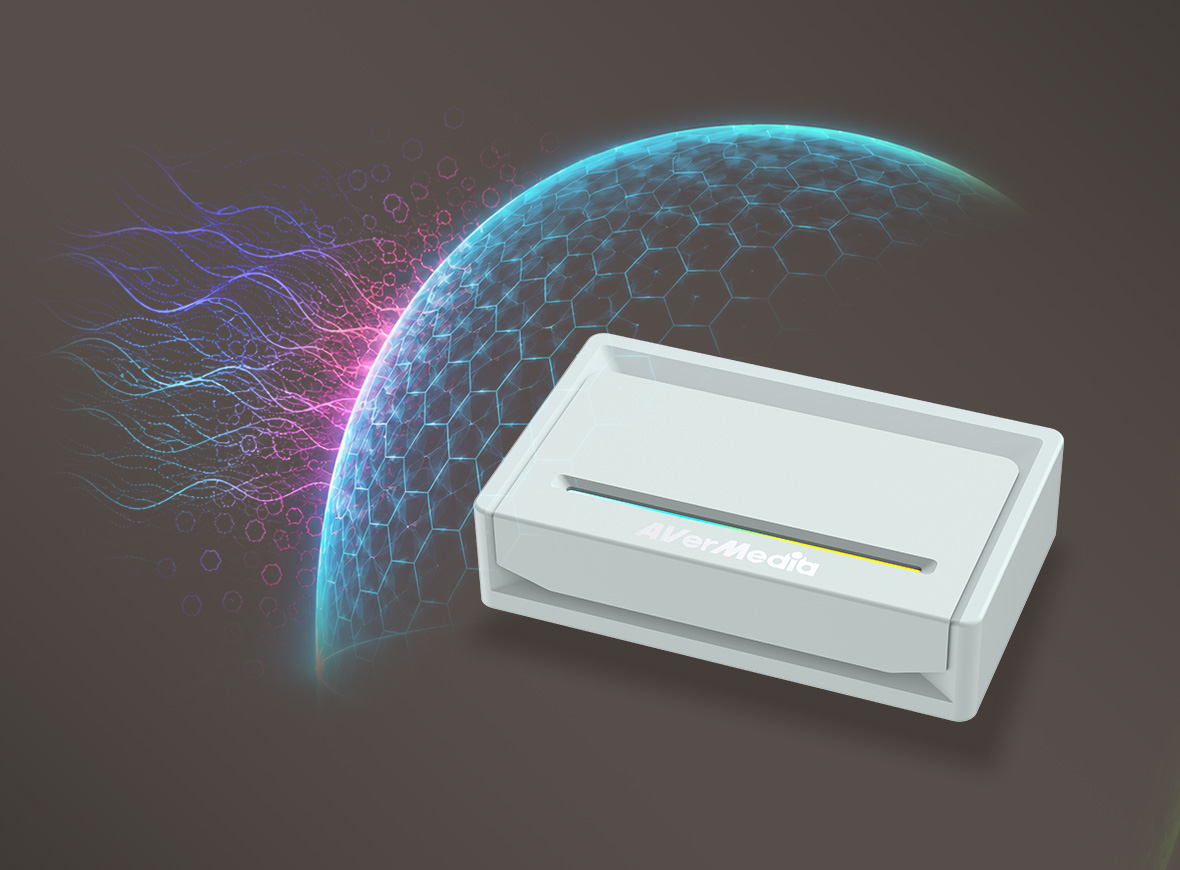
Built for professional production environments, the GC535 features advanced anti-static protection and an EMC-certified design to safeguard signal integrity and maintain stable performance. Deliver smooth, flicker-free streams from start to finish.
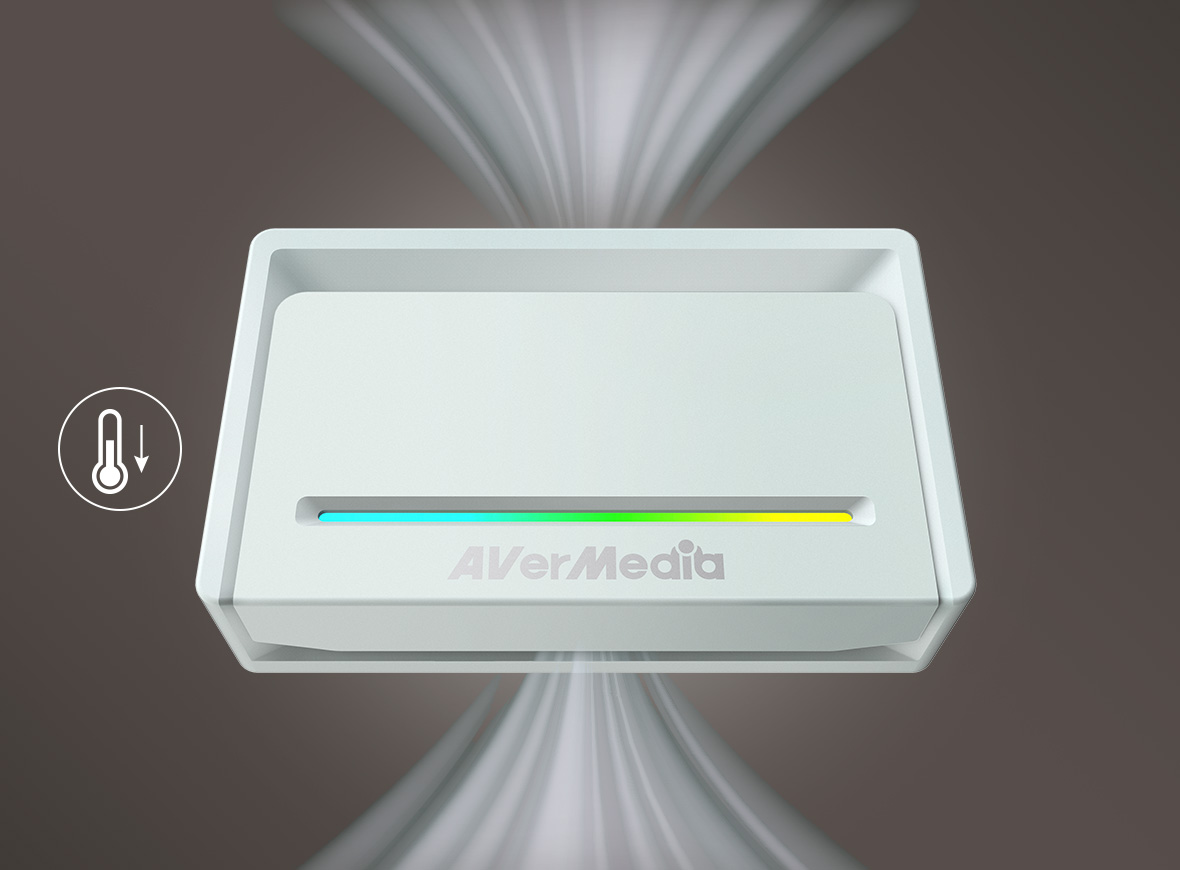
Stay Cool. Stay Live.

Stay Cool. Stay Live.

Built for streamers who demand consistent performance, the GC535 features advanced thermal management and high-speed 10 Gbps connectivity. Stay cool under pressure and maintain stable, ultra-low-latency performance through extended streaming, recording, and production sessions.

Life-Like Colors in 4K30

Experience exceptional color fidelity with uncompressed 4K30 RGB24 capture. Reproduce every detail with vibrant, true-to-life colors, ensuring your content looks as authentic and immersive as the original scene.

Streaming Center

Streaming Center
Stream Smarter, Not Harder

AVerMedia Streaming Center is a handy, all-in-one tool that combines video capturing and camera controls into one powerful software. It streamlines user’s workflow and makes live streaming a breeze. For more information, click here .

Universal Camera Support

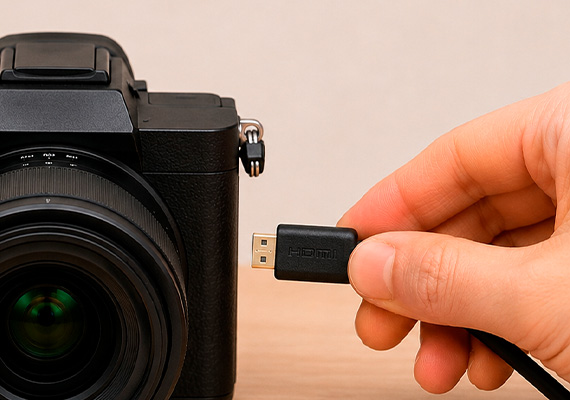
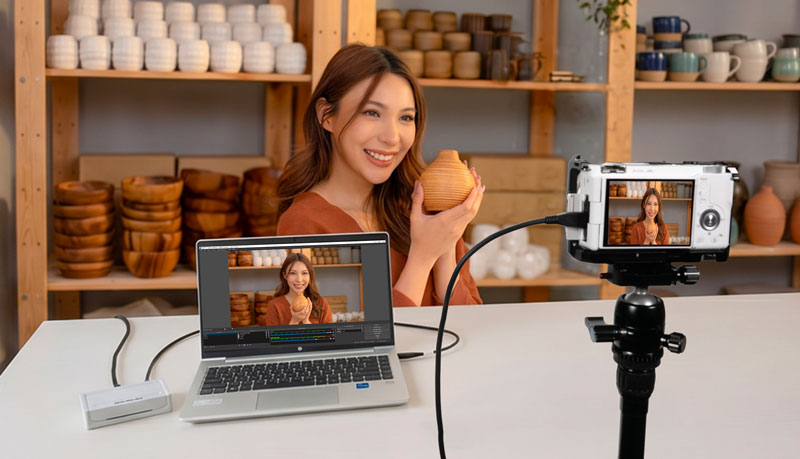
Built for professional live commerce and cinematic production, the GC535 seamlessly integrates with a wide range of industry-leading cameras. Enjoy flexible deployment and reliable compatibility across today's most trusted camera systems.

Streamlined Configuration

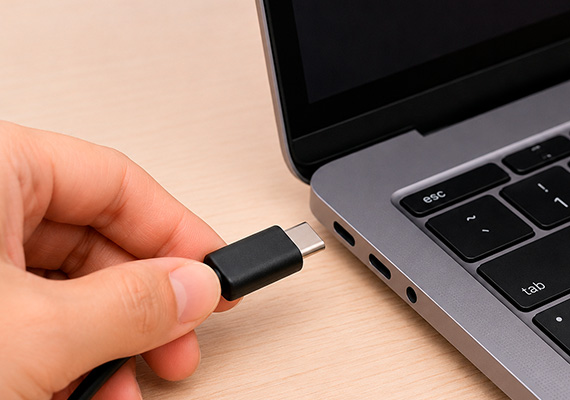
Utilizing advanced UVC technology, the STREAMER ULTRA 2.1 streamlines setup on both Windows and Mac systems.
Just connect your GC535 to your PC or Mac, and it's ready for immediate recording and streaming.

  • Connect to computer

  • Connect to camera

  • Connect to monitor

  • Add to preferred app
    Streaming Center

Flexible HDMI Configuration

The GC535 comes set to HDMI 2.0 mode by default. You can easily switch to HDMI 2.1 mode via Assist Central Pro whenever higher bandwidth is required.

Specifications Streamer ULTRA 2.1 - GC535
  • Interface: USB 3.2 Gen 2 Type-C (10 Gbps)
  • Input & Output (Pass-through): HDMI 2.1*; HDMI 2.0 (Default)
  • Audio Input & Output (Pass-Through): HDMI 2.1, 3.5 mm jack (4-pole)
  • Max Pass-Through Resolution:
    HDMI 2.1: 2160p144, 1440p240, 1080p360, with VRR, HDR
    HDMI 2.0: 2016p60, 1440p144, 1080p240, with HDR
  • Max. Recording Resolution: 2160p60
  • Supported Resolution: 2160p, 1440p, 1080p, 1080i, 720p, 576p, 576i, 480p, 480i (Learn more)
  • Video Format: RGB24, YUY2, NV12, P010
  • Dimension (W x D x H): 113 x 70 x 28 mm (4.44 x 2.76 x 1.10 in)
  • Weight: 190 g (6.70 oz)
 

*HDMI 2.1 can be set in Assist Central Pro for higher hertz and VRR support..

System Requirements Windows ® 10 x64 / 11 x64 or later
  • Desktop:
    - Intel ® Core™ i5-6XXX / AMD Ryzen™ 3 XXX or above
    - NVIDIA ® GTX 1060 / AMD RX 5700 or above
  • Laptop:
    - Intel ® Core™ i7-7700HQ + NVIDIA® GeForce® GTX 1050Ti or above
    - 8 GB RAM recommended (Dual-channel)

macOS 13 / 14 or later

- 3.6 GHz quad-core Intel Core i7
- Radeon Pro 555 with 2 GB of VRAM
- 16 GB of 2400 MHz DDR4 memory


*The max capture resolution for macOS will be 4K30.


Notes:
1. Ensure the Type-C port on your streaming PC or laptop supports USB 3.2 Gen 2 or above
2. To unleash the capabilities of HDMI 2.1, please ensure that you use the original product cable for connectivity and verify that both your display and console support HDMI 2.1 connection.

What's in the box :
  • STREAMER ULTRA 2.1 (GC535)
  • USB 3.2 Gen 2 Type-C to Type-C Cable
  • HDMI 2.1 Cable
  • Quick Start Guide
*Specifications are subject to change without prior notice.

Q&A

Party Chat
Switch 2
Audio
Micro SD Card
VRR
Troubleshooting
疑難排解
Settings
MAC M1
How do I start to use the Device
Software Usability
Hardware usability
Features/Functions
OBS
Chromebook
Windows
Mac OS
セットアップ
セットアップ・仕様
接続機器・設定
4K / HDR対応
VRR対応
音声端子
仕様
仕様・ソフト
仕様・ソフト(コントロール部)
仕様・ソフト(ミキサー部)
ストレージ
(PCモード)仕様・ソフト
(単体モード)仕様・設定
録画
配信
実況
再生
再生・編集
編集
Mac対応
相性
動画編集ソフト
ファイル管理
アップロード
ソフト
購入前のお問合せ
F225本体・付属品
セットアップ、Wi-Fi接続
テレビ視聴、設定画面
録画、予約録画、録画再生
アプリ
番組表
通信
設定
その他
困った時は
更新
EOL All
Streaming
Capturing
All Topics
Recording
Storage
Indicator Light
File management
Voice Commentary
GameMate
Upload
Playback & Video Quality
Editing & Converter
Live Stream
Installation
Watching TV
Stream Engine
Comparison Chart
What are the supported passthrough and capture resolutions and frame rates for GC535? Why do I only see a black screen in the software preview with no error messages? Why is my preview video and audio out of sync/desync/audio latency or delay on Windows?(QR) Why is there no game audio in both the software preview and my recorded videos? In multiple scenes of OBS, how to fix black screen when use AVerMedia capture card ? Why is the audio stuttering, cracking, or choppy in the software preview? Can the GC553G2 be connected to a USB3 Type A port, or Thunderbolt/USB4 port? My capture device cannot be detected when it is connected to the android phone, but everything goes fine on the PC. How can I solve it? Device connection keeps saying no input signal, how can I fix it? (QR) What should I do if my USB capture device cannot be found?
Show More

DOWNLOAD

RECentral(Mac)
Application
Application(macOS)
Application(Windows)
Assist Central
Assist Central Pro(Mac)
Assist Central Pro(Win)
CamEngine(Chrome)
CamEngine(Mac)
CamEngine(Win)
Certificates
Compatibility Tool
Connect(Mac)
Connect(Win)
Datasheet
Diagnosis Tool(Win)
Download Manager
Driver
Firmware
Firmware(Mac)
Firmware(Win)
Plugin(macOS)
Plugin(Win)
Quick Guide
RECentral (Win)
Streaming Center(Win)
User Manual
Utility
Utility (Chromebook)
Utility & FW(macOS)
Utility & FW(Windows)
Utility(macOS)
Utility(Windows)

Date : 2026-08-20 00:00:00

Quick Guide

Date : 2026-05-27 00:00:00

Version:AVerMedia Streaming Center (Win) v1.8.22.2

Purpose: Streaming & Recording

OS:Win10 x64, Win 11

Description:


1. Added support for Voice Mode.

2. Fixed an issue where the audio devices for GC573 and GC570D might function abnormally when no video input signal is detected.

3. Fixed an occasional audio loss issue when enabling microphone monitoring or switching profiles.

4. Fixed an occasional software hang issue during the first launch after a system reboot.

5. Optimized fullscreen playback and preview performance.

Date : 2026-02-03 00:00:00

Version:AVerMedia Streaming Center (Win) v1.7.4.1
Purpose: Streaming & Recording

OS:Win10 x64, Win 11

Description:

1. Kick CDN Support: Integrated support for Kick streaming.

2. Audio Monitoring: Enabled by default for all capture devices.

3. AV1 & NVIDIA Super Resolution: Now supported for recording and streaming.

   Supported Models: GC553G2, GC575, GC573, GC553Pro, GC551G2.

4. New Aspect Ratios: Added support for 21:9 ultra-wide recording and portrait (9:16) streaming.

5. HEVC Encoder Support:

    SDR → YouTube

    HDR → YouTube / RTMP

6. Bug Fixes:

    Resolved crashes during Alt+Tab switching and Snapshot usage.

    Fixed blurry visuals when capturing Discord.

7. Optimized startup to prevent occasional black screens and audio anomalies.


See the new features in action:

Date : 2025-12-22 00:00:00

Version: Assist Central Pro v4.0.80
Purpose: Configuration & Update
OS : macOS 15, macOS 26
Description: 
1. Added support for German, Spanish, Russian, French, Korean, and Thai interface languages.
2. Fixed an issue where some devices weren’t being detected or were showing up incorrectly.
3. Fixed an issue on macOS where GC313Pro couldn’t retrieve firmware version information correctly.

Date : 2025-12-22 00:00:00

Version: Assist Central Pro v4.0.80

Purpose: Configuration & Update

OS : Win10 x64,Win 11

Description: 

1. Added support for German, Spanish, Russian, French, Korean, and Thai interface languages.

2. Added PCIe information display to the GC573 settings page.

3. Fixed an issue where some devices weren’t being detected or were showing up incorrectly.

4. Fixed a rare issue where GC553G2 and GC575 lights couldn’t be controlled through Assist Central Pro on certain PCs.

Date : 2025-08-14 00:00:00

Version:AVerMedia Streaming Center (Win) v1.6.65.1
Purpose: Streaming & Recording

OS:Win10 x64, Win 11

Description:

New Features

1.Added support for zoom, screenshot, and full-screen preview for more flexible operation.

2.Added hotkey function to start streaming or quickly perform common actions with hotkey.

3.Added stream quality display and detailed streaming platform settings, including privacy options, for more precise control over streaming status.

4.Added HDR brightness adjustment for more refined image colors.

5.Added VSync toggle for a smoother viewing experience.


UI and Stability Improvements

Optimized UI interface, and improved audio monitoring function and overall stability.


See the new features in action:

Date : 2025-07-22 00:00:00

Version: Assist Central Pro v4.0.73
Purpose: Configuration & Update
OS : macOS 14, macOS 15
Description: 
1. Support for EDID Merge, Copy, and Internal mode changes has been added for the following models:
GC515, GC553G2, GC553Pro, GC575, GC571, GC573, GC570D
Support for EDID Merge and Internal mode changes has been added for GC551G2 (requires firmware ver. 1.2.6.1)  
*Note: For more information on EDID modes, refer to this FAQ
2. Fixed issue: When Nintendo Switch 2 was set to 1440p60
and when GC551G2 passthrough was connected to certain monitors, Assist Central Pro displayed incorrect input resolution.

Date : 2025-07-22 00:00:00

Version: Assist Central Pro v4.0.73
Purpose: Configuration & Update
OS : Win10 x64,Win 11
Description:
1. Support for EDID Merge, Copy, and Internal mode changes has been added for the following models:
GC515, GC553G2, GC553Pro, GC575, GC571, GC573, GC570D
Support for EDID Merge and Internal mode changes has been added for GC551G2 (requires firmware ver. 1.2.6.1) 
*Note: For more information on EDID modes, refer to this FAQ
2. Fixed issue: When Nitendo Switch 2 was set to 1440p60 and when GC551G2 passthrough was connected to certain monitors, Assist Central Pro displayed incorrect input resolution.

Date : 2025-07-10 00:00:00

Version: StreamingCenterPLUG V2.4.14

Purpose: Plugin for OBS Studio

OS:Win10 x64, Win11

Description: User Experience Optimization


Note: This plugin is designed for OBS Studio. You only need to install it if you plan to use OBS Studio with this plugin.

Date : 2025-02-13 00:00:00

Version: StreamingCenterPLUG V2.1.8

Purpose: Plugin for OBS Studio

OS:Win10 x64, Win11

Description:

1 Requires OBS Studio version 30.2 or later.

2 AVerMedia Center Upgrade: Includes AVerMedia features and works within OBS Studio.

3 Supported Devices: GC553Pro, GC553G2, GC575, GC515, GC535, GC531.

4  Supports 5.1 Multichannel Audio Capture: GC553Pro, GC553G2 (Firmware v1.0.7.7 or later), GC575 (Firmware v1.1.6.12 or later)


Note: This plugin is designed for OBS Studio. You only need to install it if you plan to use OBS Studio with this plugin.


Date : 2024-11-14 00:00:00

Version GC535FWUpdateTool_1.1.7.11
OS: macOS 13,  macOS 14 or later
Description:
New feature added for Windows systems only.

Date : 2024-11-12 00:00:00

Version GC535FWUpdateTool_1.1.7.11
OS: Win10 x64, Win11
Description:

New Features:
1 Added support for 2560x1440 at 144p for NV12.(for Windows only)
2 Added support for 3840x2160 at 25p and 2560x1440 at 50p for RGB32.(for Windows only)
3. Supports color adjustments such as brightness and contrast in OBS Studio (only applicable to Windows systems)


Date : 2024-03-21 00:00:00

Version GC535FWUpdateTool_1.1.6.7
OS: Win10 x64, Win11
Description:
1. Optimized pass-through screen compatibility issues.
2. Resolved occasional low-frequency noise issues during headphone monitoring.
 

Date : 2024-09-26 00:00:00

Version GC535FWUpdateTool_1.1.6.7
OS: macOS 13,  macOS 14 or later
Description:
1. Optimized pass-through screen compatibility issues.
2. Resolved occasional low-frequency noise issues during headphone monitoring.
 
Show More
×
  • About AVerMedia
    • About AVerMedia
    • Contact Us
    • 投資人關係
    • ESG & CSR
  • Media
    • Press
    • Media Review Articles
    • Creator Review Videos
    • Official Product Videos
    • Product Tutorial Videos
    • Awards
  • Support
    • Downloads & FAQ
    • Technical Support
    • Warranty & RMA Services
    • Where to Buy
    • EOL
  • Other
    • Blog
    • Workspace
    • Store
    • Store
    • Business Inquiry
    • AVerMedia Member Club
    • AVerMedia Partner Portal
    • Strategic Partner
    • TAA Compliance
    • NDAA Compliance
    • Privacy Policy
    • Terms of Service
    • MEET ELENA
    • Cookie Settings
fb
linkedin
twitter
youtube
reddit
Language
Copyright © AVerMedia.
  • Products
    • Webcams
      • 4K UHD
      • 1080 FULL HD
      • Kits
    • Capture/Converter
      • 4K Capture
      • 1080p60 Capture
      • AV / S Video Capture
      • DSLR / Camcorder capture
      • Video Converter
    • Audio
      • Speakerphones
      • Soundbars
      • Microphones
      • Wireless Microphone
      • Accessories
    • Control Center
      • Creator Central
    • Video Bar
      • Mingle Bar
    • Streaming Expansion Station
      • Video Product
      • Audio Product
    • Software
      • Streaming Software
  • Solutions
    • Workspaces
      • Products of the Month
      • Game Streamer
      • Video Content Creator
      • Work From Home
      • Education
      • How To
      • Corporate
  • Support
    • Support
      • Downloads & FAQ
      • Technical Support
      • Warranty & RMA Services
      • Where to Buy
      • Certification
  • Store
  • Store
  • Integrated AI Systems
  • About AVerMedia
    • About AVerMedia
      • About AVerMedia
      • Contact Us
      • 投資人關係
      • ESG & CSR
      • Recruiting
Language